DAY - 8 Basic Git & GitHub for DevOps Engineers.

What is Git?
Git is a distributed version control system used to track changes in source code during software development.
It allows multiple developers to collaborate on a project, making it easier to manage changes, coordinate work, and track the history of the codebase.
Git is one of the most widely used version control systems and has become an essential tool for software development teams.
Key Features of Git:
Version Control: Git keeps a complete history of changes made to the source code, including who made the changes, when they were made, and what changes were implemented.
This allows developers to track the evolution of the codebase over time.
Distributed Development: Git is a distributed version control system, meaning that each developer has a complete copy of the entire repository.
This allows developers to work offline and independently, merging changes when needed.
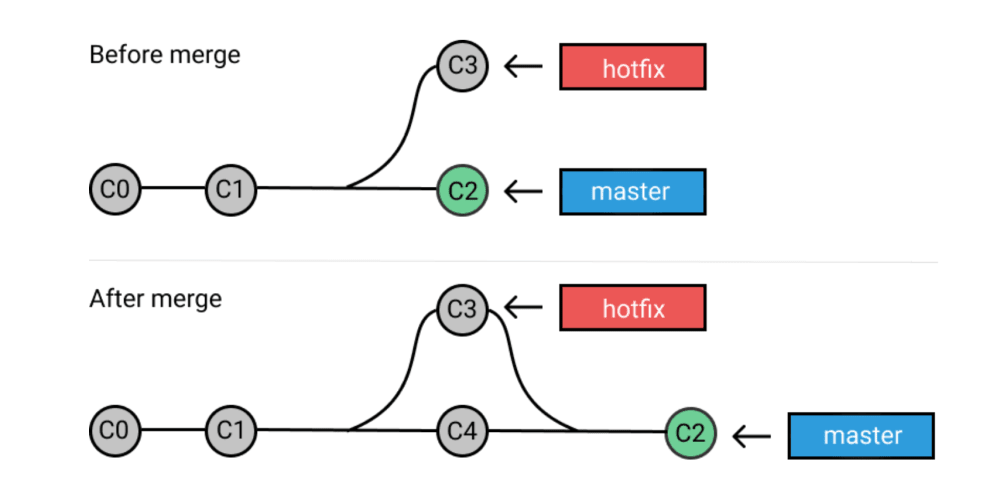
Branching and Merging: Git supports branching, allowing developers to create separate branches of the codebase to work on new features or bug fixes.
Branches can be easily merged back into the main codebase when the changes are ready.
Collaboration and Code Review: Git facilitates collaboration among team members. Developers can push their changes to a shared repository, review each other's code, and collaborate seamlessly on the same project.
Staging Area: Git introduces the concept of a staging area, where changes are organized before they are committed to the repository. This allows developers to review their changes before making them part of the project history.
Fast and Efficient: Git is designed to be fast and efficient, making it suitable for both small projects and large, complex codebases.
Open Source and Widely Adopted: Git is an open-source project and is widely adopted by the software development community. It is used by major tech companies, open-source projects, and individual developers around the world.
Using Git, developers can collaborate effectively, track code changes, revert to previous versions if needed, and maintain a well-organized and efficient development process. Its popularity and robustness have made it an essential tool in modern software development practices.
What is GitHub?
GitHub is a web-based platform and hosting service for version control using Git.
It provides a user-friendly interface for developers to host, manage, and collaborate on software projects.
GitHub allows developers to store their Git repositories in the cloud, making it easy to share code, collaborate with others, and contribute to open-source projects.
Key Features of GitHub:
Remote Repository Hosting: GitHub provides a place in the cloud where developers can store their Git repositories.
This allows them to access their code from anywhere and collaborate with others.
Version Control and Collaboration: Developers can use Git to track changes in their projects, and GitHub makes it easy for multiple developers to collaborate on the same codebase.
It allows them to work together seamlessly and efficiently.
Pull Requests and Code Reviews: GitHub's pull request feature enables developers to propose changes to a project and request their inclusion. This facilitates code review and ensures that only high-quality code gets merged into the main project.
Issue Tracking: GitHub provides an issue-tracking system, allowing developers to report bugs, suggest new features, and discuss project-related topics.
This helps to keep the development process organized and transparent.
Continuous Integration and Deployment: GitHub integrates with various continuous integration and deployment tools, making it easier to automate testing and deployment processes for projects.
What is Version Control?
Version control is a system that tracks and manages changes made to files or code over time.
It allows developers to keep track of every modification made to a project, compare different versions, revert to previous states, and collaborate effectively with others.
Version control is essential in software development to maintain code integrity, enable team collaboration, and provide a history of changes for auditing and troubleshooting.
How many types of version controls do we have?
Local Version Control System (LVCS):
A local version control system is a simple form of version control that stores different versions of files on the local disk. It typically involves manual copying or renaming of files to preserve different versions. While this approach provides basic versioning capabilities, it lacks collaboration features and doesn't scale well for team projects.
Centralized Version Control System (CVCS):
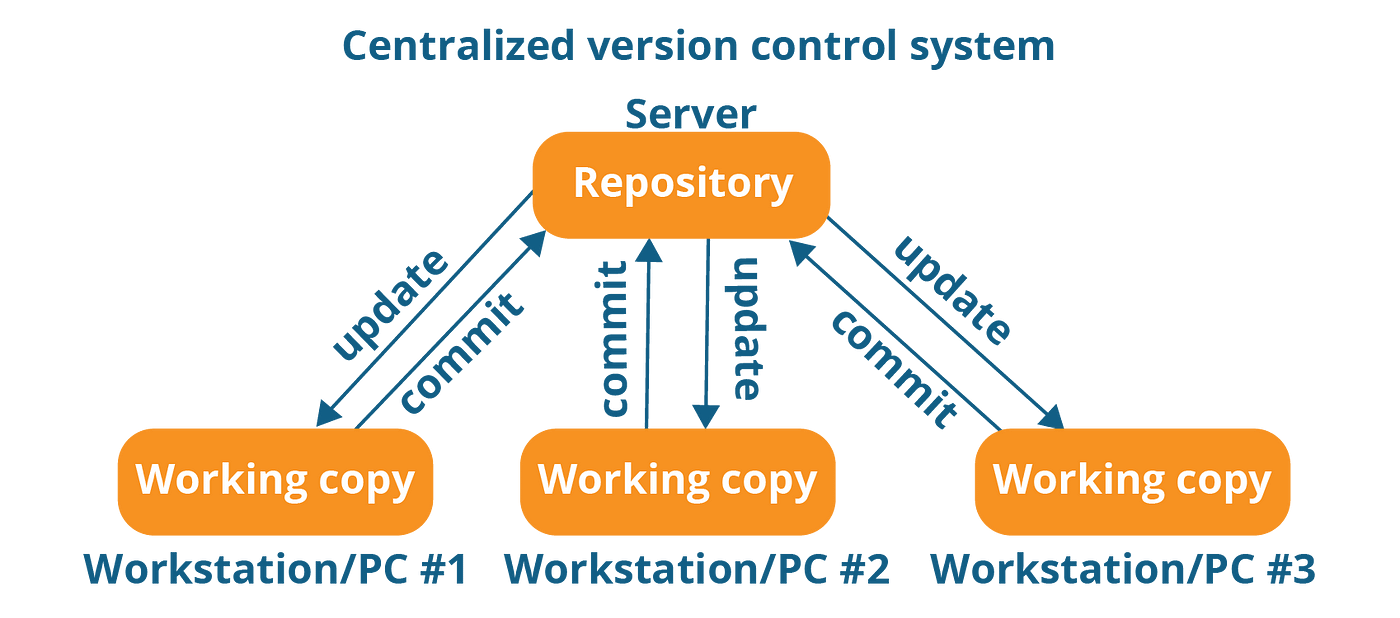
In a centralized version control system, a central server stores all versions of files, and multiple developers work on their local copies. Developers check out files from the central repository to make changes and then commit their changes back to the server. This system allows collaboration among team members, but it has some limitations, such as a single point of failure (the central server) and the need for constant network connectivity.
Distributed Version Control System (DVCS):
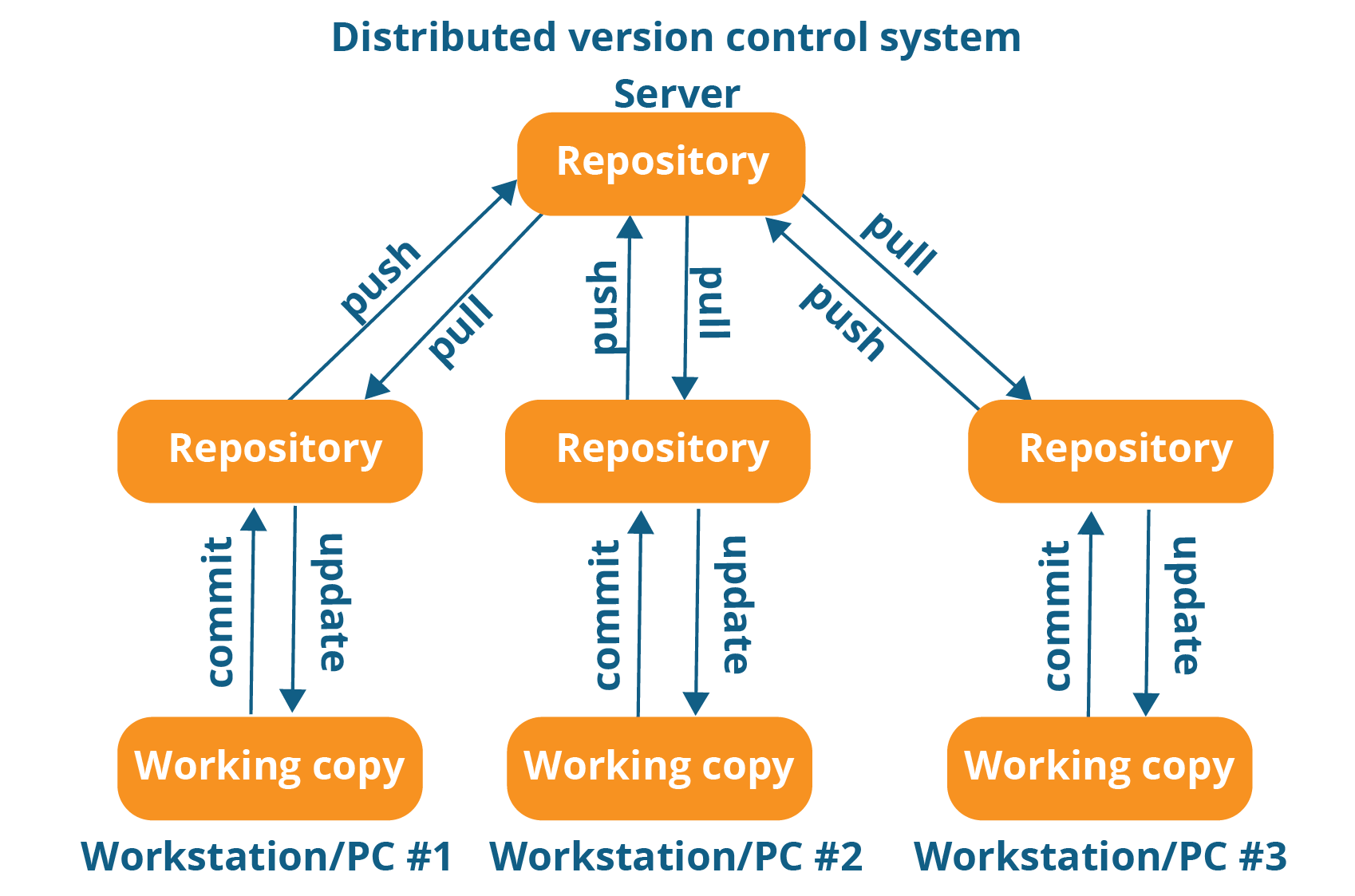
Distributed version control systems take the centralization concept further by allowing each developer to have their own complete copy (clone) of the entire repository, including the entire history of the project. This means that developers can work independently and have full access to version history without relying on a central server for all operations. DVCS, such as Git and Mercurial, provides better scalability, and fault tolerance, and enables offline work.
Why do we use distributed version control over centralized version control?
Distributed version control systems (DVCS) offer several advantages over Centralized version control systems (CVCS) that make them a preferred choice for many software development teams and open-source projects. Here are some key reasons why distributed version control is often favored:
Offline Work:
One of the most significant advantages of DVCS is that developers can work offline.
Each user has a full copy of the entire repository, including the complete history of the project.
This allows developers to continue making changes, creating branches, and performing other version control operations without the need for a constant internet connection or access to a central server.
Faster Operations:
DVCS operations are typically faster compared to centralized version control systems.
Since most actions can be performed locally without requiring communication with a central server, developers experience improved speed and responsiveness, leading to higher productivity.
Flexible and Decentralized Collaboration:
DVCS enables decentralized and flexible collaboration among developers.
Team members can work independently on their local copies of the repository, making it easier to collaborate on different features, bug fixes, or improvements without interfering with each other's work.
This enhances parallel development and promotes a more dynamic development process.
Resilience and Redundancy:
With DVCS, every developer has a complete backup of the repository on their local machine.
This redundancy reduces the risk of data loss in case of server failures or other incidents affecting the central repository.
Each developer essentially has a full copy of the project's history, ensuring data integrity and availability.
Efficient Branching and Merging:
DVCS provides efficient branching and merging capabilities.
Developers can create branches to work on specific tasks or features, experiment with changes, and later merge them back into the main branch seamlessly. This allows for cleaner code management and easier collaboration on different project components.
Branch Privacy and Isolation:
Developers can create private branches in DVCS, allowing them to work on new features or experimental changes without immediately affecting the main project.
This privacy and isolation provide a safe environment for developing and testing new ideas before integrating them into the central codebase.
Support for Open Source Projects:
DVCS is well-suited for open-source projects with a diverse community of contributors.
It facilitates contributions from developers worldwide without the need for direct access to a central server.
This fosters a more inclusive and collaborative environment for open-source software development.
Easy Rollback and History Exploration:
With DVCS, it is straightforward to explore the history of the project and track changes made by different developers over time.
This capability allows for easy rollbacks to previous versions if needed, helping to identify and resolve issues more effectively.
Task 1: Install Git on your computer
Windows:
Go to the official Git website: https://git-scm.com/downloads
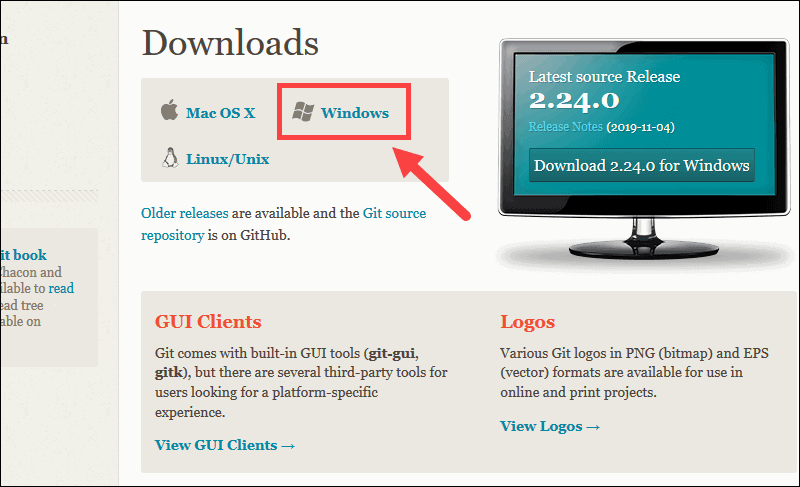
Download the latest version of Git for Windows.
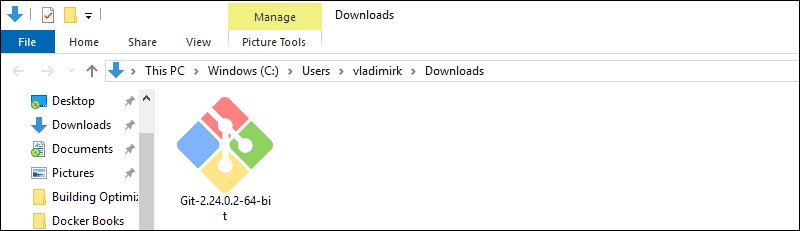
Double-click the downloaded installer to start the installation.
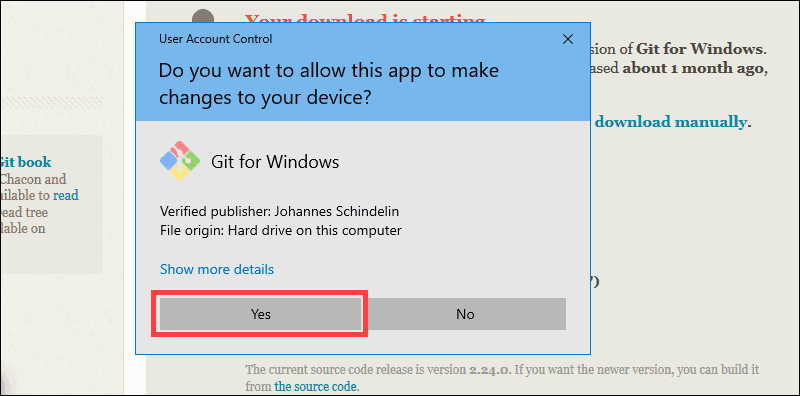
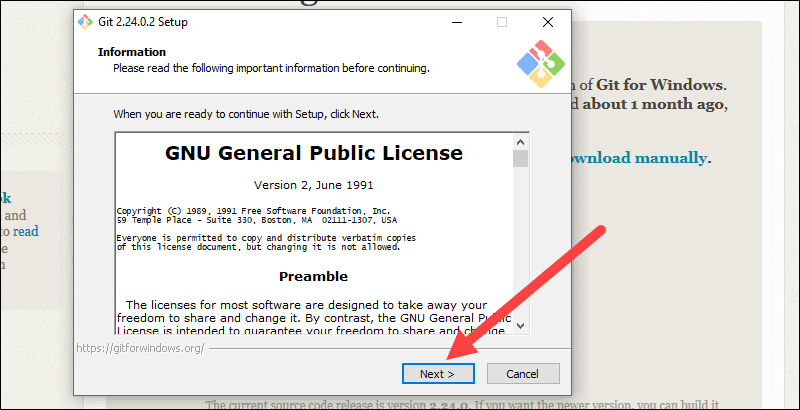
Follow the installation wizard's instructions. You can generally leave the default settings as they are, but you may customize them if needed.
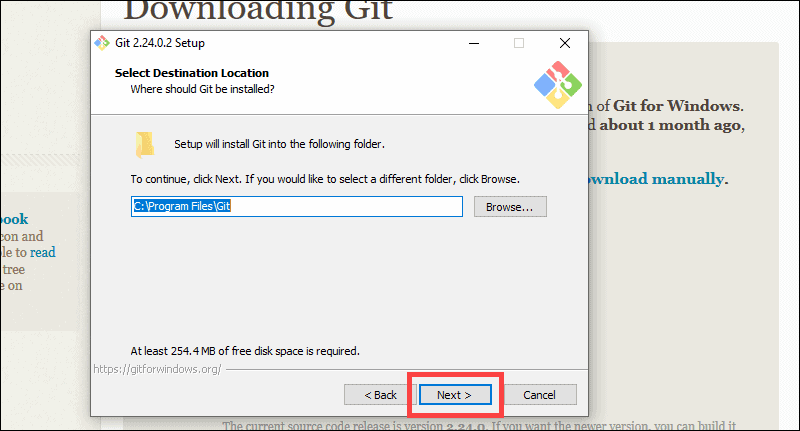
During the installation, you'll be prompted to select the components to install. Keep the default selections unless you have specific preferences.
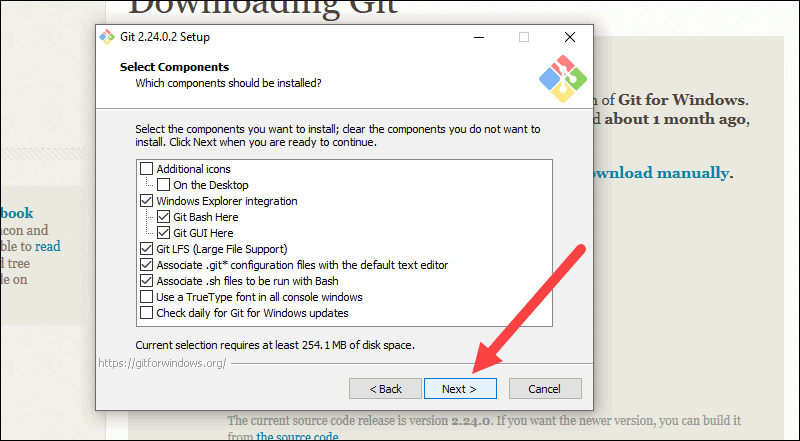
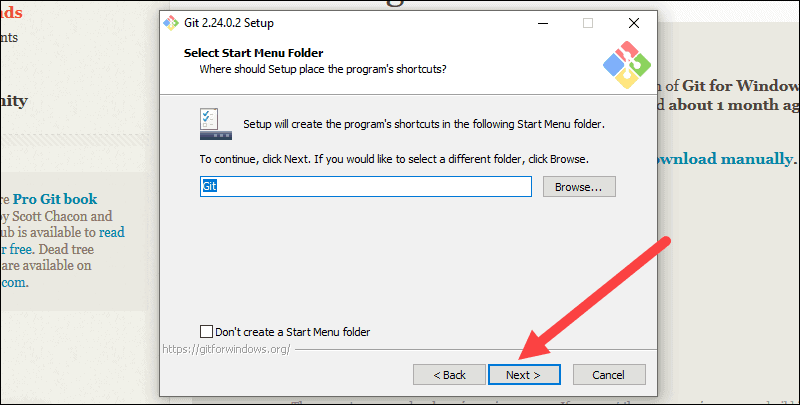
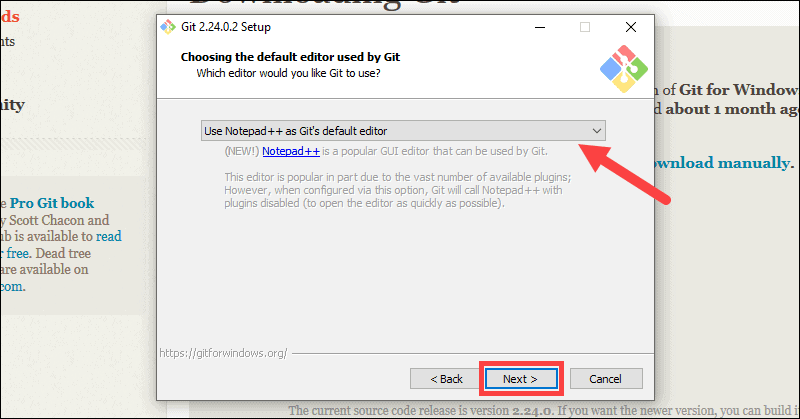
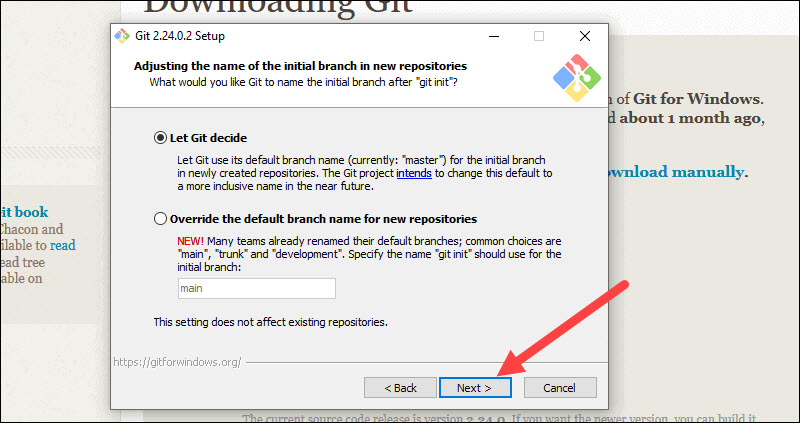
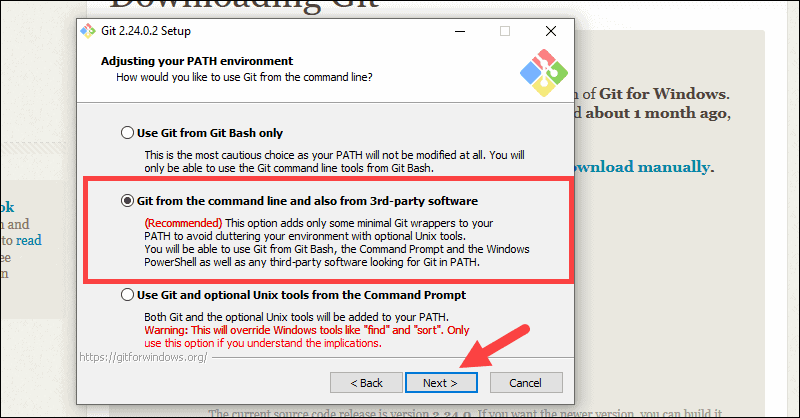
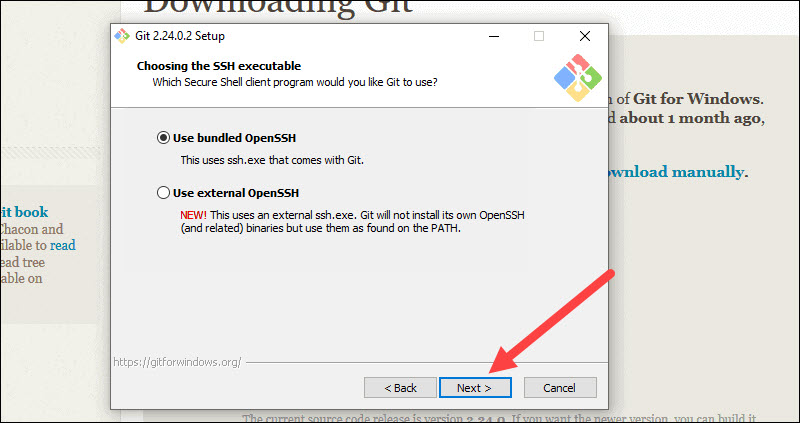
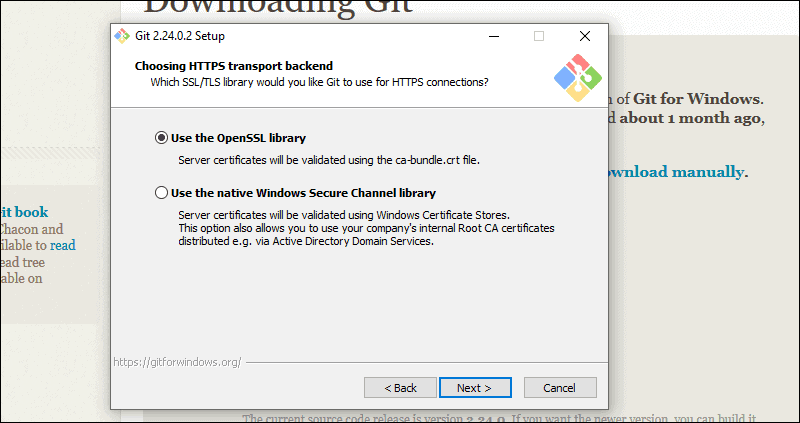
Complete the installation process by clicking "Finish."
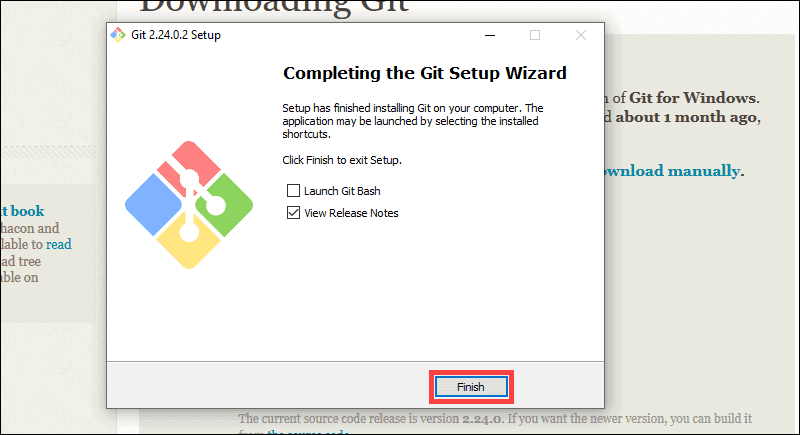
After the installation is complete, you can open the Command Prompt and type git --version to verify that Git is installed correctly.
macOS:
On macOS, Git may already be installed. To check, open the Terminal application (found in the Utilities folder within the Applications folder) and type git --version. If Git is installed, you'll see its version number.
If Git is not installed or you want to upgrade to the latest version, you can use the following methods:
Install Xcode Command Line Tools: Open Terminal and type xcode-select --install. This will prompt you to install the necessary developer tools, including Git.
Install Homebrew: If you have Homebrew installed, you can simply run brew install git in Terminal to install Git.
Linux:
On most Linux distributions, Git comes pre-installed. To check if Git is installed, open the Terminal and type git --version. If Git is installed, you'll see its version number.
If Git is not installed or you want to upgrade to the latest version, you can use your package manager to install it:
On Debian/Ubuntu-based systems: sudo apt-get install git
On Fedora-based systems: sudo dnf install git
On CentOS/RHEL-based systems: sudo yum install git
After installing Git, you can configure it with your name and email using the following commands:
git config --global user.name "Your Name"
git config --global user.email "your.email@example.com"
Now you're ready to use Git on your computer to manage version control for your projects!
Task 2: Create a free account on GitHub
Open your web browser and go to the GitHub website: https://github.com/
Click on the "Sign up" button in the top right corner of the page.
You will be prompted to enter your information to create an account. GitHub requires the following details:
Username: Choose a unique username for your GitHub account. This will be used to identify you on GitHub, and it will be a part of your GitHub URL (github.com/your-username).
Email Address: Enter a valid email address that you have access to. GitHub will use this email for account-related communication.
Password: Create a strong password to secure your account.
After entering the required information, click on the green "Create account" button.
GitHub may ask you to complete a CAPTCHA or verify your email address to prevent automated account creation.
Check your email inbox for a verification email from GitHub. Click on the verification link to confirm your email address.
Once your email is verified, you'll have access to your new GitHub account, and you can start using GitHub for version control and collaborating on projects.
With your GitHub account, you can create repositories, collaborate with others, and contribute to open-source projects. Happy coding!
Conclusion:
In conclusion, Git's distributed nature offers flexibility, resilience, and faster operations, while GitHub's web-based platform simplifies collaboration and project management.
Together, they empower developers to work seamlessly, share knowledge, and create groundbreaking projects that drive the future of technology.
As the software development landscape continues to evolve, Git and GitHub remain at the forefront, shaping the way we build, collaborate, and innovate.
Thank you for taking the time to read this blog.
I hope you found the information helpful and insightful.