Day 2 - LINUX
What is Linux?
Linux is an Open Source Operating System developed by Linus Travolds in 1991.
Linux is designed to be free, secure, stable, and highly customizable.
It is based on the Unix operating system.
Linux offers both a command-line interface (text commands) and graphical user interfaces (using a mouse and Windows).
One of the significant advantages of Linux is that its source code is freely available to the public.
The real reason why the Linux logo is Penguin?
The story dates back to a particularly memorable trip to Australia in '93, wherein a fairy penguin bit Torvalds in a zoo. Known to most casual Linux users simply as the Linux penguin, Tux was born in 1996 when developer Alan Cox shared a cartoon design he made of a penguin image that Torvalds found online.
Cox's caricature focused on the lovable penguin features after taking inspiration from the claymation feature. Tux has retained its puppy-dog round eyes that instantly draw new users' curiosity and appreciation for cuteness.
The penguin was chosen as the Linux logo because it represents the values of the Linux community. The penguin, or Tux as it is commonly known, is a symbol of fun, friendliness, and community.
Additionally, the creator of Linux, Linus Torvalds, has a fondness for penguins and even has a stuffed penguin on his desk. Overall, the penguin was a natural choice for the Linux logo as it embodies the spirit and values of the Linux community.
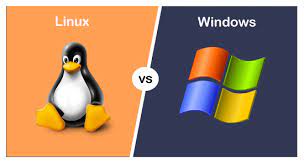
Why Linux over Windows?
Open-source nature: Linux is open-source, which means its source code is freely available for anyone to view, modify, and distribute. This openness allows for transparency, security, and flexibility.
Customizable: Linux offers a high level of customization. Users can choose from a variety of distributions, desktop environments, and software packages.
Stability and reliability: Linux is known for its stability and reliability. It is designed to run continuously for long periods without needing to reboot. Linux systems are often used in critical environments, such as servers and supercomputers, where reliability is essential.
Security: Linux has a strong focus on security. I Linux provides robust security features, such as user privilege separation, mandatory access controls, and secure package management systems.
Performance: Linux is generally more resource-efficient than Windows. It can run smoothly on older hardware or low-powered devices, making it suitable for a wide range of systems. Linux distributions can be optimized to use system resources efficiently, resulting in better performance and responsiveness.
Vast software ecosystem: Linux offers a vast ecosystem of free and open-source software. There are numerous applications and development tools available that can meet various needs.
Community and support: Linux has an active community of users and developers who provide support, contribute to development, and create extensive documentation and forums.
Distributions of Linux?
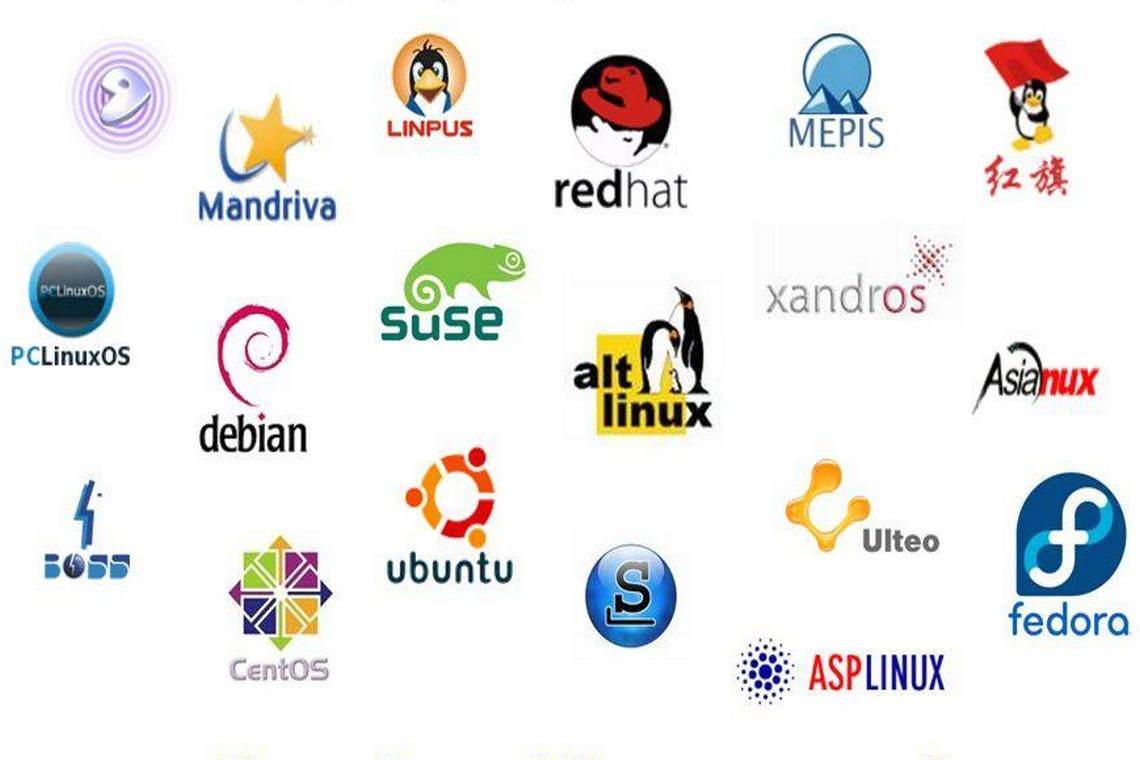
There are numerous Linux distributions available, Here are some popular Linux distributions:
Ubuntu: Ubuntu is one of the most well-known and widely used Linux distributions. Ubuntu is known for its stability, ease of use, and extensive software repositories.
Fedora: Fedora is a community-driven distribution sponsored by Red Hat. It focuses on providing the latest stable versions of software and technologies, making it suitable for developers and enthusiasts.
Debian: Debian is a distribution known for its stability, security, and adherence to the principles of free software. It has a large community of developers and users who contribute to its development. Debian is highly customizable.
CentOS: CentOS is a community-driven distribution that is based on the sources of Red Hat Enterprise Linux (RHEL). It aims to provide a free and open-source alternative to RHEL, offering long-term support and stability.
openSUSE: openSUSE is a user-friendly distribution that focuses on simplicity and ease of use. It offers different editions, including Leap (based on SUSE Linux Enterprise) and Tumbleweed (a rolling release version).
Linux Mint: Linux Mint is a distribution that aims to provide a user-friendly experience, particularly for users transitioning from Windows. It includes multimedia codecs and proprietary software support out of the box, making it convenient for multimedia enthusiasts.
Basic Linux Commands
ls: Lists files and directories in the current directory.
Example: If u have created files sample1.txt and sample2.txt, we use :
ls sample1.txt sample2.txtpwd: Prints the current working directory.
pwdcd: Changes the current directory.
cd <path_to_directory> - change directory to the provided path
cd ~ - change directory to the home directory
cd - - Go to the last working directory.
cd .. - change directory to one step back.
cd ../.. - Change directory to 2 levels back.
cd
mkdir: Creates a new directory.
Example: To create a new directory "dir1"
mkdir dir1rm: Removes files and directories.
Example: rm <file name> - removes files
rm -r <dir name> - removes directory
touch f1 f2 ls f1 f2 mkdir dir1 dir2 ls f1 f2 dir1 dir2 rm f1 f2 ls dir1 dir2 rm -r dir1 dir2 lscp: Copies files and directories.
Example: cp <source_file> <destination_file>(to copy a file)
touch f1 f2 mkdir dir1 ls f1 f2 dir1 cp f1 dir1 ls f1 f2 dir1 cd dir1 ls f1mv: Moves or renames files and directories.
Example: mv <file_name> <directory_name> (to move a file to a directory)
 ls
 f1 f2 dir1
 mv f1 dir1
 ls
 f2 dir1
 cd dir1
 ls
 f1
Example: mv <old_name> <new_name> (to rename a file or directory)
ls f2 dir1 mv dir1 sample ls f2 samplecat: Displays the contents of a file.
Example: cat <file_name>
touch file.txt ls file.txt echo "Hello World" > file.txt cat file.txt "Hello World"touch: Creates an empty file.
Example: touch <file_name>
touch dev.txt ls dev.txtapt-get: Package management command used in Debian-based distributions to install, update, or remove software packages.
Example: sudo apt-get install <package_name>
sudo apt-get install git
sudo apt-get update
What is the Linux command to :
- Check your present working directory.
pwd
- List all the files or directories including hidden files.
ls -a
- Create a nested directory A/B/C/D/E.
mkdir -p A/B/C/D/E
ls
A
cd A
ls
B
cd B
ls
C
cd C
ls
D
cd D
E
Conclusion:
In conclusion, Linux is a versatile and powerful operating system that offers many benefits. It is open-source, meaning its code is freely available for anyone to use and modify. This allows for a wide range of customizable options.
Linux is also known for its security. It is built with strong defenses against viruses and malware, and its open-source nature means that any vulnerabilities can be quickly identified and fixed by the community.